How to Register a New Family Member in DEERS – The Defense Enrollment Eligibility Registration System
The DEERS system is the centralized database for all military memebers and their families. You need to be enrolled in the DEERS system in order to receive military benefits.

Why trust The Military Wallet? We’re a veteran-founded resource that has helped millions make strong financial decisions.
Advertiser Disclosure: The Military Wallet and Three Creeks Media, LLC, its parent and affiliate companies, may receive compensation through advertising placements on The Military Wallet. For any rankings or lists on this site, The Military Wallet may receive compensation from the companies being ranked; however, this compensation does not affect how, where, and in what order products and companies appear in the rankings and lists. If a ranking or list has a company noted to be a “partner,” the indicated company is a corporate affiliate of The Military Wallet. No tables, rankings, or lists are fully comprehensive and do not include all companies or available products.
The Military Wallet and Three Creeks Media have partnered with CardRatings for our coverage of credit card products. The Military Wallet and CardRatings may receive a commission from card issuers. You can read more about our card rating methodology here.
Opinions, reviews, analyses & recommendations are the author’s alone and have not been reviewed, endorsed, or approved by any of these entities. For more information, please see our Advertising Policy.
American Express is an advertiser on The Military Wallet. Terms Apply to American Express benefits and offers.
 The Defense Enrollment Eligibility Registration System (DEERS) is a centralized database of personal identification information for service members and their families.
DEERS verifies eligibility for benefits such as:
The Defense Enrollment Eligibility Registration System (DEERS) is a centralized database of personal identification information for service members and their families.
DEERS verifies eligibility for benefits such as:
- Military identification cards,
- Commissary and Exchange access,
- Morale, Welfare, and Recreation programs,
- Transfer of education benefits,
- and most importantly TRICARE benefits.
When to Update DEERS
Service members are automatically enrolled into DEERS when they join the military. Each dependent, however, must be enrolled separately by the service member. The service member can add a new family member into DEERS in person at any military ID card-issuing facility. Service members are also expected to update DEERS with any change in the sponsor’s service status, change in contact information, or change in family status (marriage, divorce, birth, adoption, death). This means that every time you move you will need to update your DEERS information. You have a few options for updating your information with the exception of adding a new family member or updating a Social Security number (which must be done in person):- In-Person: Visit a military ID card-issuing facility. Call to verify location and hours or set up an appointment via the RAPIDS Appointment Scheduler.
- By Phone: 1-800-538-9552 or 1-866-363-2883
- By Fax: 1-831-655-8317
- By Mail: Defense Manpower Data Center Support Office 400 Gigling Road Seaside, CA 93955-6771
- Online: Visit the milConnect website.
What to bring with you
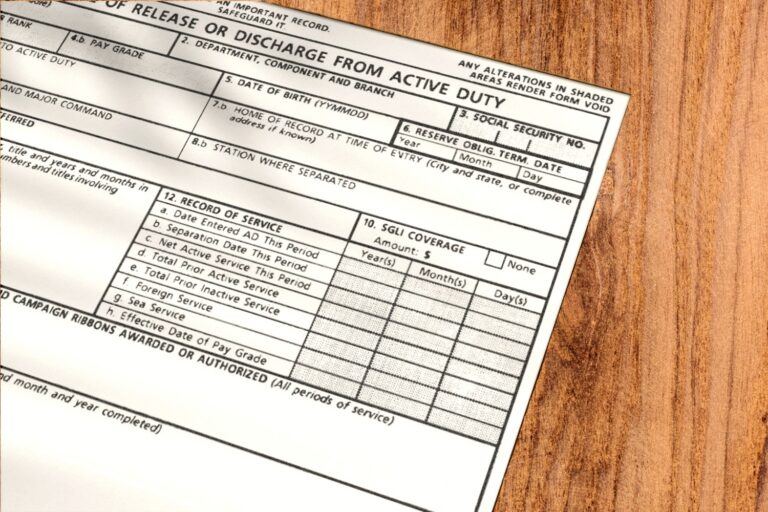
To speed up the registration process, be sure to bring all the necessary documentation with you. If you have any questions or concerns regarding the necessary documentation, call ahead to your nearest military ID card-issuing facility. For registering a new family member into DEERS, sponsors must bring a completed DD Form 1172 as well as the following: To add a spouse:- Marriage certificate
- Spouse birth certificate
- Spouse Social Security card
- Spouse photo ID
- Child’s birth certificate
- Child’s Social Security card
- Letter from the school’s registrar office verifying enrollment
- DFAS letter of approval
- Service member birth certificate
- Service member valid photo ID
- Parent photo ID
- Parent Social Security card
- DFAS letter of approval
- Court document placing the child in the sponsor’s home for at least one year
- Dependent birth certificate
- Dependent Social Security card