Empower Review – Manage Your Money and Investments Free
Empower is one of my favorite online tools. I use it to aggregate all of my financial accounts so I can see them in one place, monitor my net worth, track my spending, and most importantly, track and monitor my investments. This overview shows you how you can use Empower to optimize your spending and investments.

Why trust The Military Wallet? We’re a veteran-founded resource that has helped millions make strong financial decisions.
Advertiser Disclosure: The Military Wallet and Three Creeks Media, LLC, its parent and affiliate companies, may receive compensation through advertising placements on The Military Wallet. For any rankings or lists on this site, The Military Wallet may receive compensation from the companies being ranked; however, this compensation does not affect how, where, and in what order products and companies appear in the rankings and lists. If a ranking or list has a company noted to be a “partner,” the indicated company is a corporate affiliate of The Military Wallet. No tables, rankings, or lists are fully comprehensive and do not include all companies or available products.
The Military Wallet and Three Creeks Media have partnered with CardRatings for our coverage of credit card products. The Military Wallet and CardRatings may receive a commission from card issuers. You can read more about our card rating methodology here.
Opinions, reviews, analyses & recommendations are the author’s alone and have not been reviewed, endorsed, or approved by any of these entities. For more information, please see our Advertising Policy.
American Express is an advertiser on The Military Wallet. Terms Apply to American Express benefits and offers.
Empower (formerly known as Personal Capital) is one of my favorite online tools. I use it to aggregate all my financial accounts in one place, monitor my net worth, track my spending, and, most importantly, track my investments. This last part matters, since tracking your investments across several accounts can be difficult. However, Empower makes this task easy and eye-opening.
Empower Review

Empower (formerly known as Personal Capital)
Empower offers both a free money management app and a paid financial management service.
In this review, I’ll show you how Empower can solve a variety of problems and why I use it. And I hope you will give it a try as well. After all, it is free, and you can learn a lot about where your money is held, how you spend it, and how your investments work together.
Managing Multiple Financial Accounts Can Be a Hassle
When my wife and I were married, we both brought our separate financial accounts into the marriage. This meant one or two bank accounts each, two IRAs, two Thrift Savings Plan accounts, a couple of credit cards, some Certificates of Deposit, my car loan, a mortgage, etc.
You can easily manage all of these financial accounts on your own. But the more accounts you add, the harder it becomes to understand where everything is and how it all works together.
Within a couple of years of marriage, I was working on my second post-military job, had started a small business (including this website and others), and my wife had separated from the military and started a job with the civil service.
In those two years, we added two 401(k) plans, a civil service Thrift Savings Plan account, two different pensions, a Home Equity Line of Credit to finish our basement, another credit card to earn travel rewards when we took our honeymoon, a business bank account, a business credit card, and several other small banking and investment accounts. Our total number of financial accounts doubled in two years.
Managing our money soon became a little more complicated.
How We Manage Our Finances Now
My initial solution was to create a spreadsheet to track everything. It worked for a while, but it took a lot of manual labor to enter all the numbers, track our spending, and monitor our investments.
I have tried several financial tools, including the online and desktop versions of Quicken and Mint.com (now reimagined as Credit Karma). All of those were good, but they had their limitations.
Enter Empower. Empower takes the best elements from all the tools I have used, wraps them into a complete online package, and automates many things. It takes less work than many of the other tools I have used. And tracking investments was extremely eye-opening and valuable. I’ll explain in just a moment why you should absolutely use a tool like Empower if you have more than one investment account (including your TSP).
Empower Features
As I mentioned above, Empower is a one-stop shop for financial management. Here are my favorite features:
- Aggregate all financial accounts in one place (even the TSP)
- Monitor net worth
- Track your spending
- Improve your investing
Let’s take a closer look at these features.
Aggregate All Financial Accounts in One Place
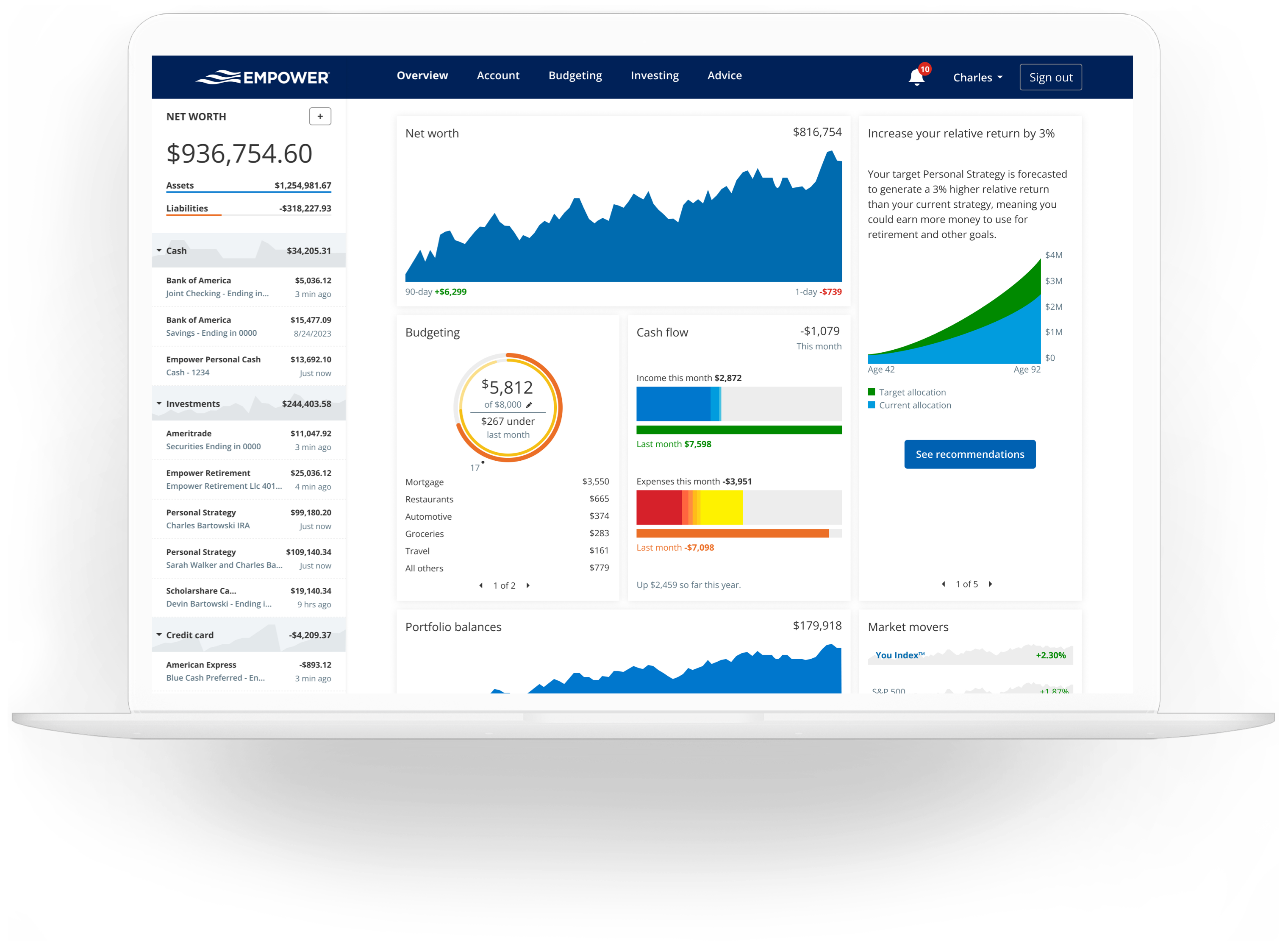
One of the biggest problems I ran into was figuring out where all my money was, not because I had too much money, but because I had too many accounts. Between my wife and I, we have multiple bank accounts, retirement accounts, credit cards, a mortgage and some business accounts. Seeing everything in one place makes it easier to manage our finances.
At a minimum, I think everyone should review each financial account at least once a month to verify transaction accuracy and make sure everything is in order.
I still try to log into every account each month. But Empower can do it for me, too. With a tool like Empower, you can link multiple financial accounts to your dashboard. You do this by entering each account’s login information into the Empower interface.
Each time you log in to Empower, it automatically logs in to each linked account and pulls back the data, which you can then review in different ways. This is a read-only tool, which means you can’t change anything in your account, make transactions or withdrawals, or move money.
*Note: Empower uses bank-level security with AES-256-bit key length encryption. I’ll cover this later in the review.
Monitor Your Net Worth Over Time
Knowing your net worth is helpful; it’s generally defined as assets (things you own) minus liabilities (things you owe). Empower automatically calculates your net worth each time you log in. The software logs in to all your accounts and updates your most recent information. Then it adds your assets and subtracts your liabilities, leaving you with your net worth. The final number measures your financial health.
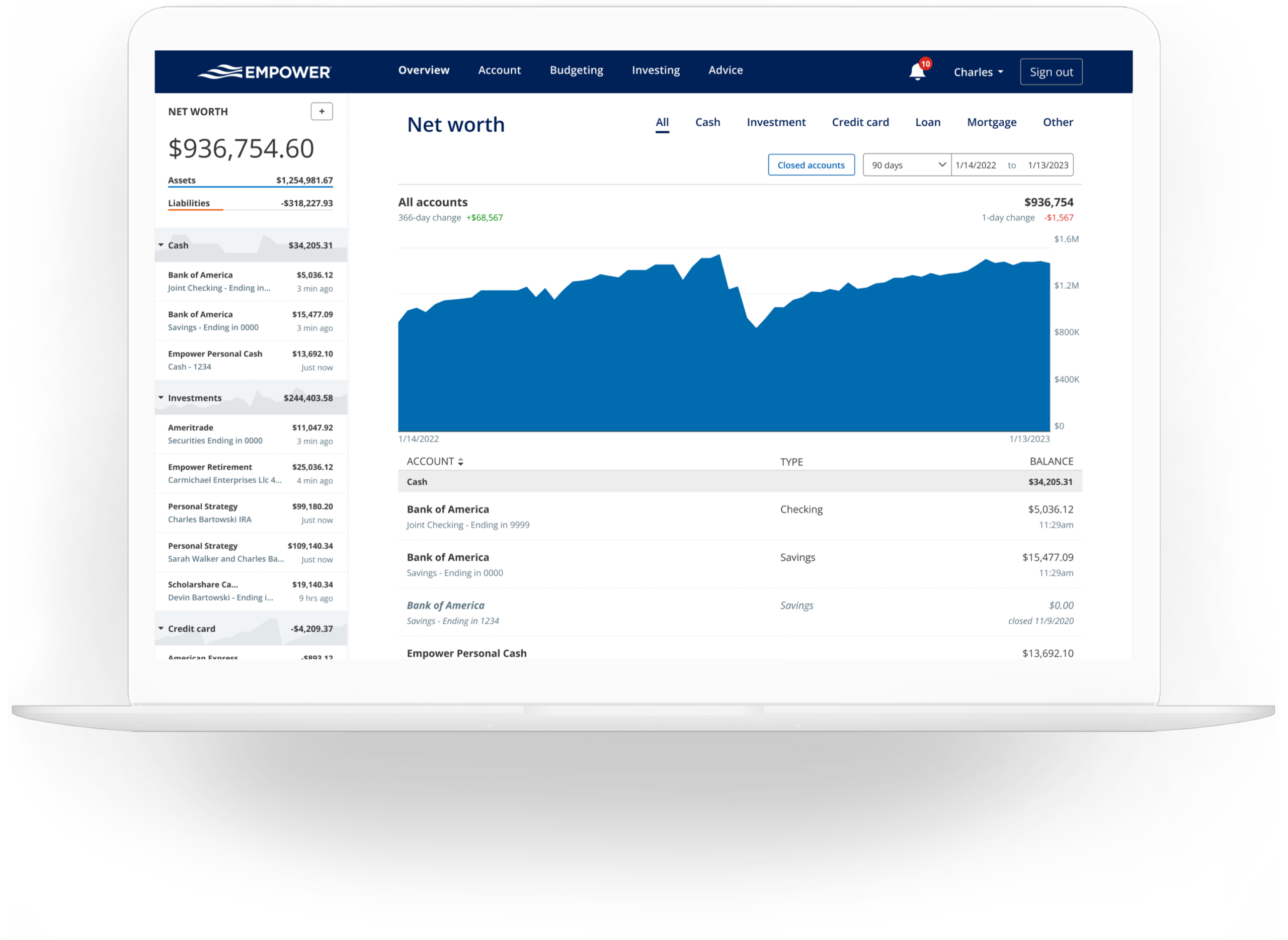
Some people get wrapped up in their overall net worth number. I think it is good to know, but I don’t think it’s the most important metric for financial health (cash flow, human capital and other metrics can be more important in some situations).
Net worth is a good relative metric that shows how your financial health changes over time. Depending on how many accounts you have, calculating your net worth can be time-consuming. Then tracking and analyzing that information over time can add another layer of fun (or hassle). Empower tracks your net worth automatically.
Track Your Spending with Empower
Tracking your spending can be an important tool for saving money. We often don’t realize how much we spend on certain items, and it’s only when we track our spending over time that we can see trends and take the right actions. Tracking our spending has opened my eyes to several areas where we were spending money that didn’t align with our long-term goals. But you have to be aware of your spending habits before you can change them.
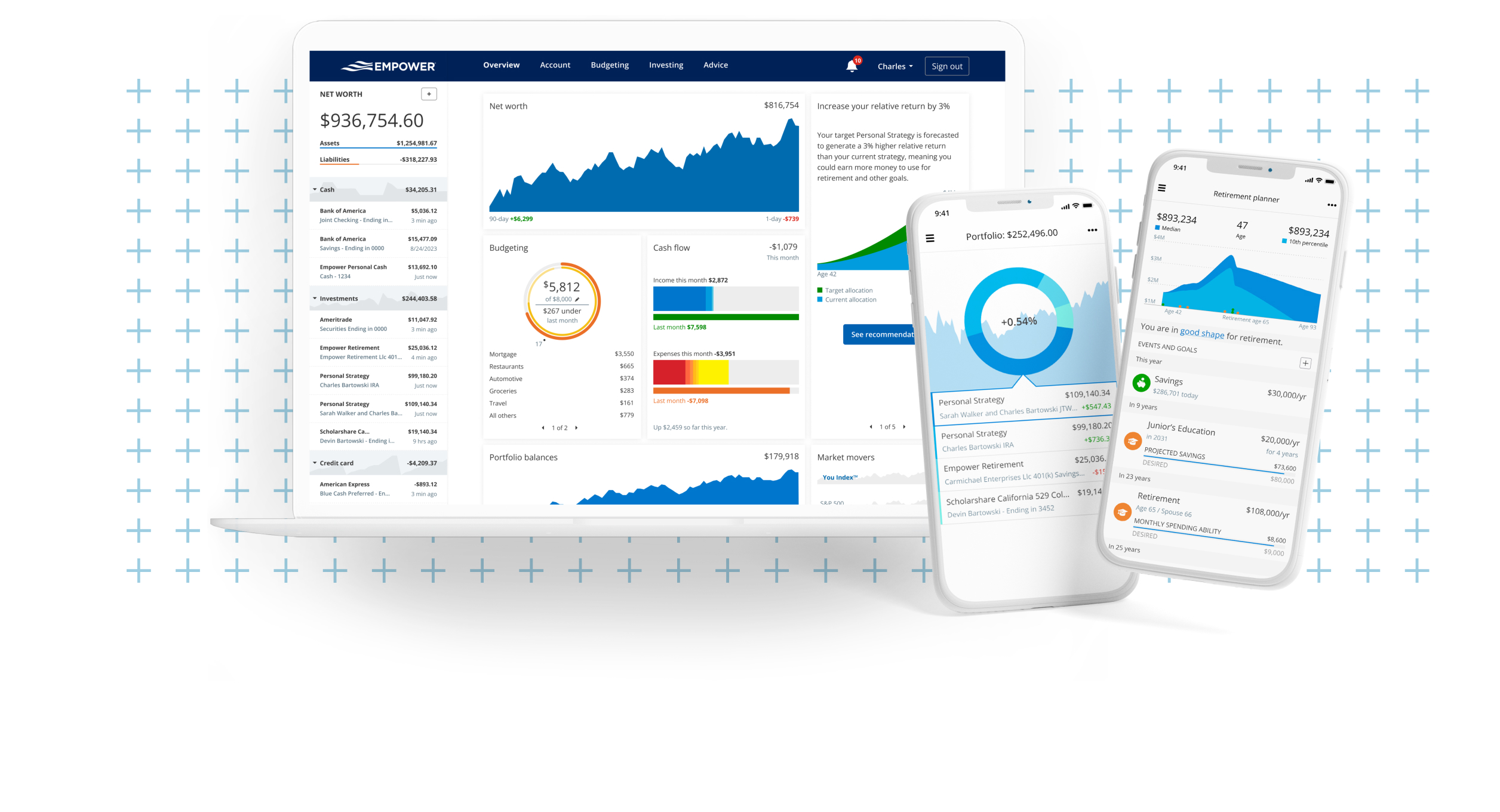
Many programs can help you track spending. Many banks allow you to categorize your income and spending. This works well if you only have one bank. But it doesn’t always work as well if you have multiple accounts.
There are other programs as well, including a written ledger or notebook, Excel spreadsheets or Google Docs, Mint.com and Quicken. All of these tools can work well. Mint and Quicken both sync with many bank accounts, including Empower. But Mint and Quicken aren’t as powerful for tracking and understanding your investments. So I chose the all-in-one solution and track my spending with Empower.
Empower Can Improve Your Investing
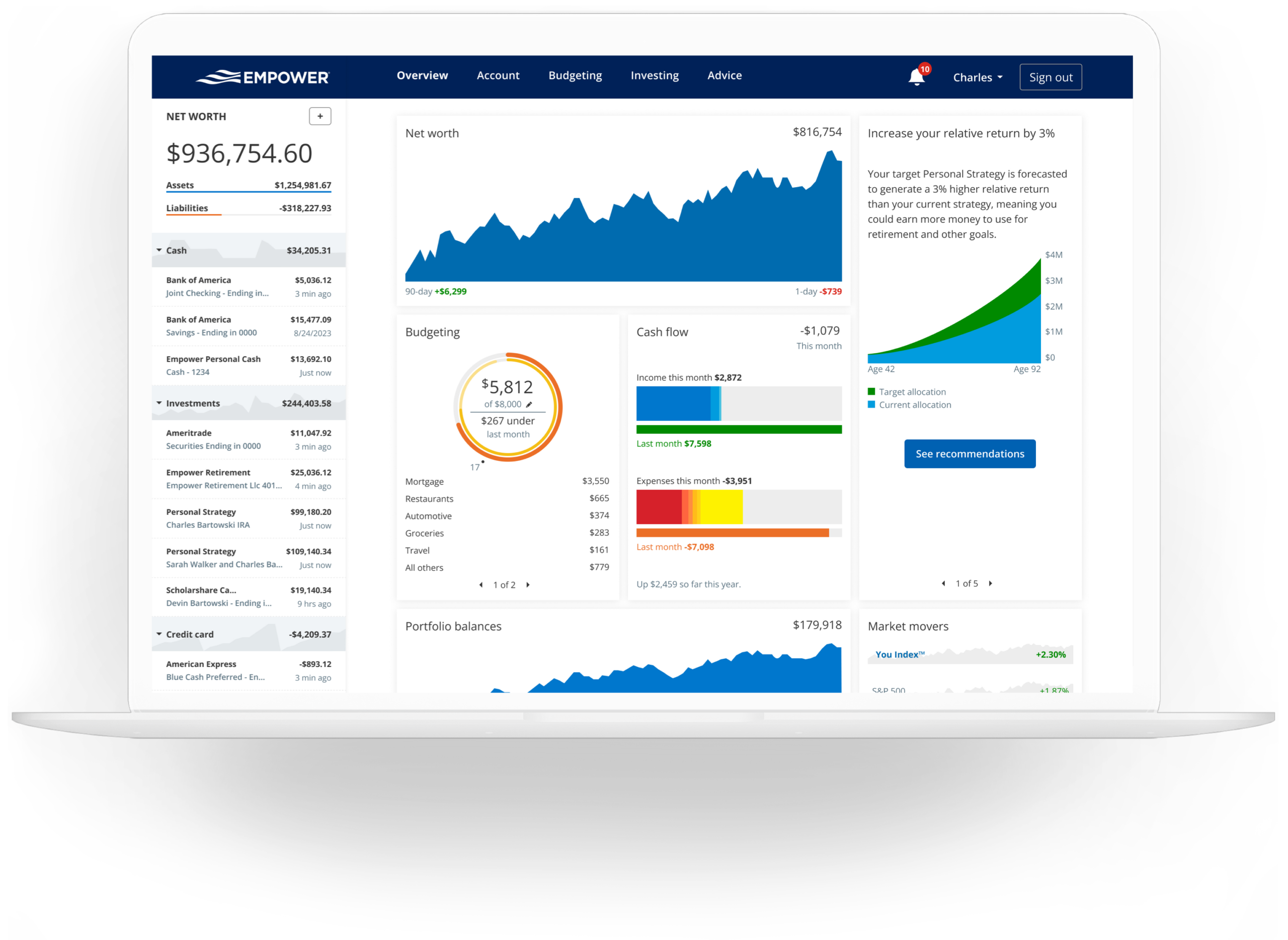
Managing multiple financial accounts can be tricky. View all your investments as one giant portfolio. You should also consider factors like which investments to put in retirement accounts and which should be in taxable accounts. But for asset allocation, you should view them all together.
Balancing your investment portfolio can be easy if you only have one or two accounts. Say a Thrift Savings Plan account and an IRA. But when my wife and I got married, we each had both accounts, so we already had four investment accounts to balance. Within two years of marriage, I added two more 401(k) plans and a pension to the mix, and my wife had a civil service TSP account. Managing eight investment accounts is substantially more difficult than managing four accounts!
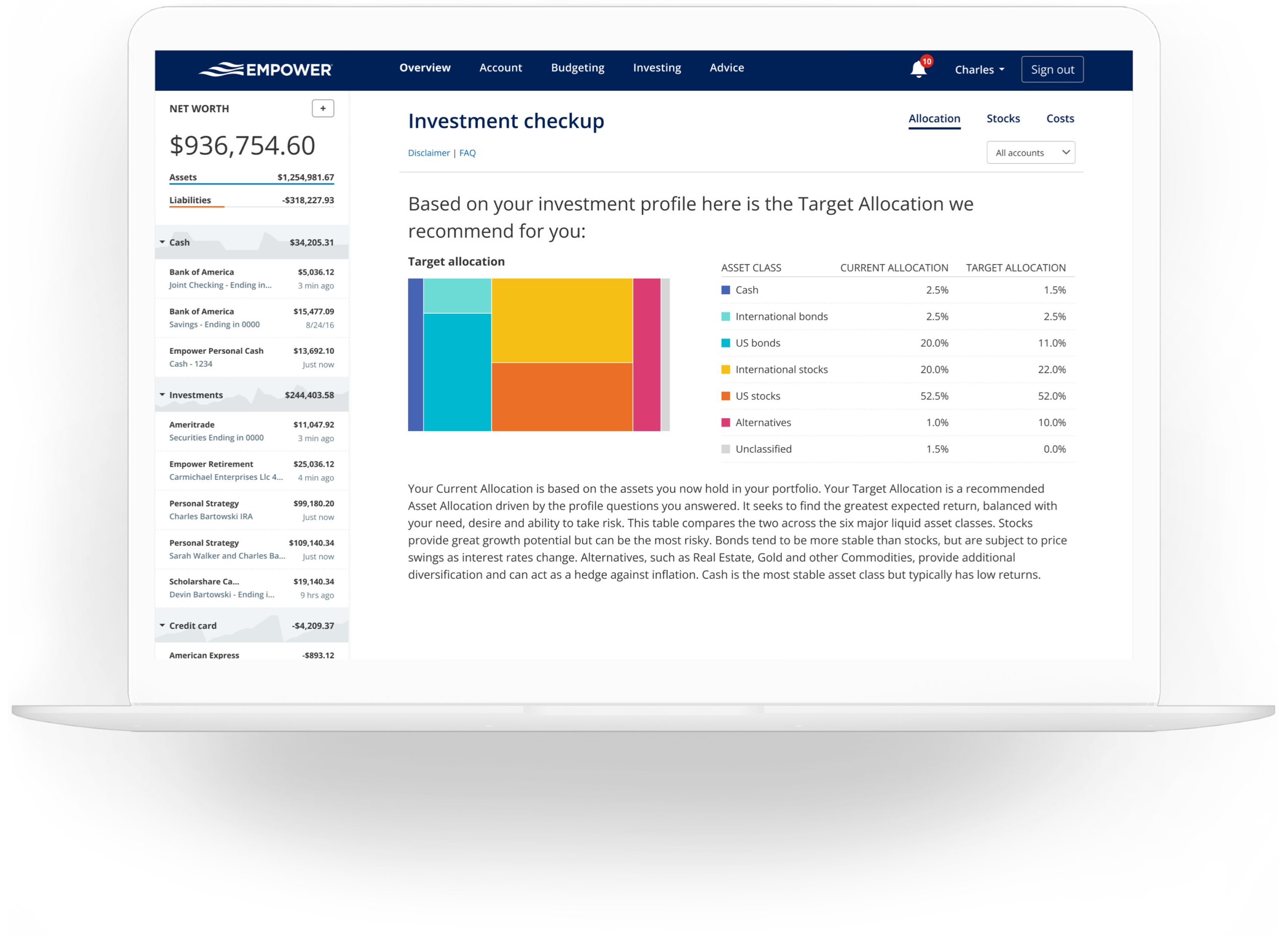
The problem with managing multiple investment accounts isn’t always understanding how they work together. Is your portfolio diversified? Do you have too much weight in any one type of fund? Empower makes it easy to see your investments as one portfolio.
You no longer have to guess your total asset allocation for each sector. Empower does it automatically and shows you how much you spend on asset management fees. This makes it easy to see where your portfolio is balanced and where it needs attention. You can then use this information to make informed decisions, such as rebalancing your portfolio, selling assets in certain classes, buying others, etc.
Empower is Free to Use
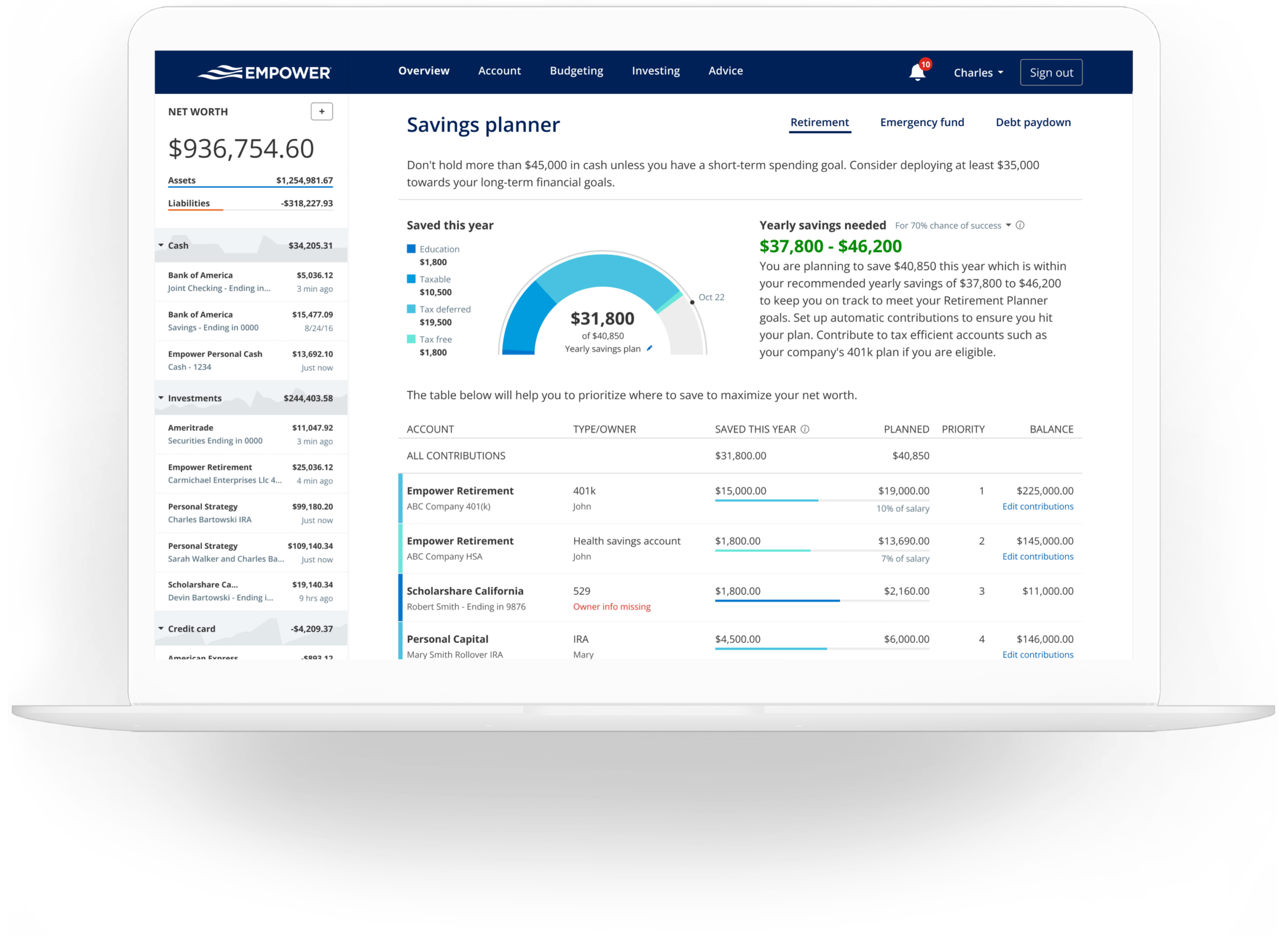
The best part about Empower is the cost: it’s free to use. You can track your financial accounts, monitor your spending and view detailed information about your investments. All of this helps you manage your finances and investments better.
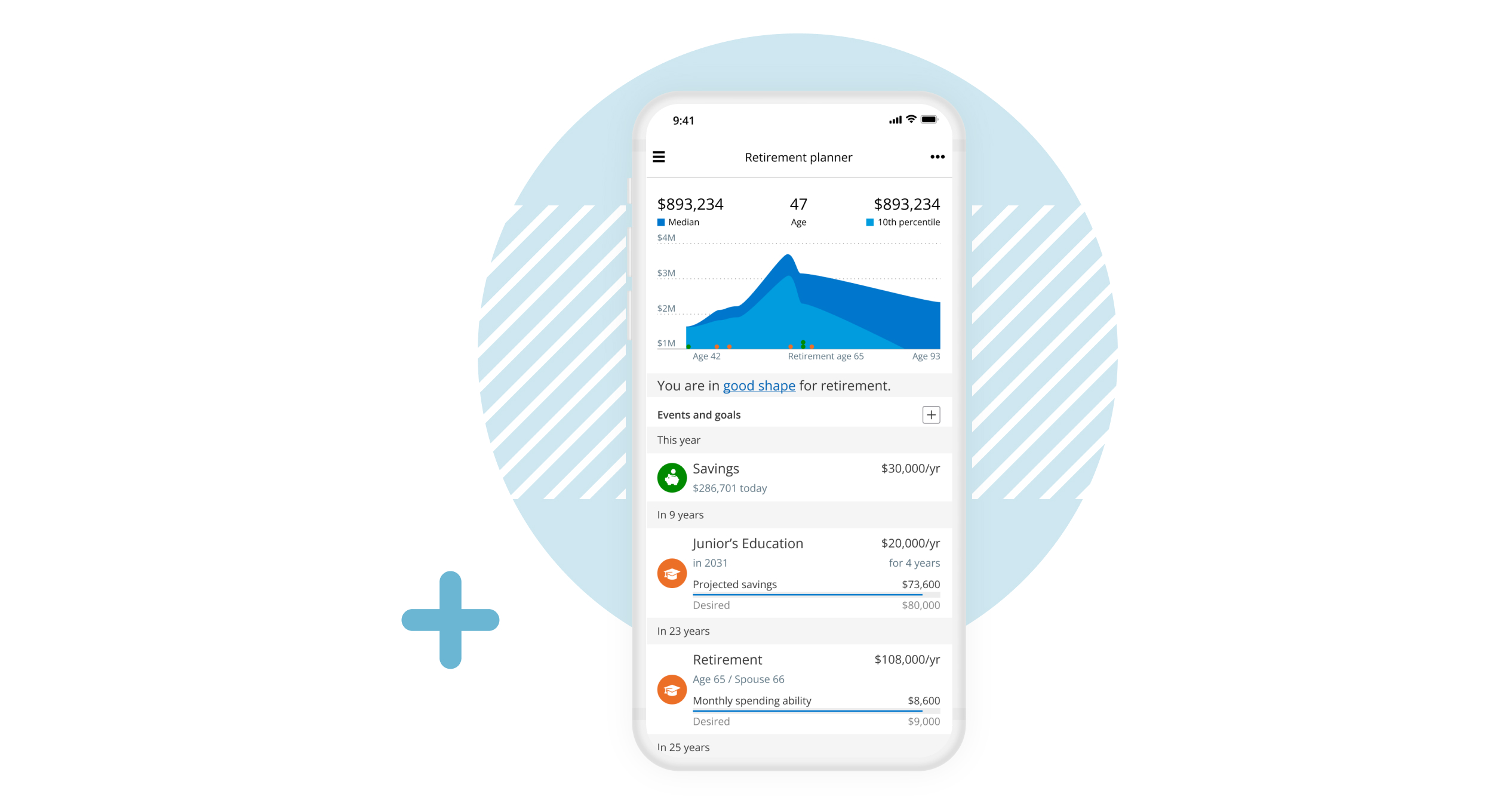
I have been using this tool for about two years, and it’s helped me become a better money manager and investor. They even have iOS and Android apps, making it easy to manage your money on the go.
How Does Empower Make Money?
Great question. The general online tool is free to use and extremely powerful. In fact, it is one of the best free online tools for individual investors.
But not everyone has the time, knowledge, or desire to manage their own investments. So Empower also offers a paid investment management service. There is no hard sell, and you don’t have to use this service if you don’t want to.
Here is how it works:
The first thing that happens: You are assigned a financial advisor who will get on a phone call with you and ask you about your goals, needs, investment timeline, risk tolerance and other factors. Then they’ll use that information to create a customized investment plan based on your inputs.
If you decide to let Empower manage your investments, you would transfer them into their management. From there, they take control of the investments and you will get regular updates on the performance. This service has an ongoing management fee, which is how they can keep it free for everyone. Below are the current management fees (as a percentage of total portfolio).
For primary and premium clients:
| First $1 Million | 0.89% |
For private clients:
| First $3 Million | 0.79% |
| Next $2 Million | 0.69% |
| Next $5 Million | 0.59% |
| Over $10 Million | 0.49% |
These investment management fees are very reasonable when you consider that many individual investment advisors charge a flat-rate fee of 1% of assets under management. Visit Empower to learn more about their management services.
Top-Notch Security
As you may imagine, security is a major concern for many people. I subscribe to an identity theft service, and I am borderline paranoid when it comes to giving personal or financial information over the Internet or Telephone. But I have reviewed Empower’s security and their processes and I have used their service for about two years now. I’m very comfortable with the level of security they provide.
Empower encrypts data with AES-256 and uses multi-layer key management, including rotating user-specific keys and salts. They also encrypt data, maintain higher security ratings than many banks and brokerages, monitor for fraud, and require strict multi-factor authentication before you can access your account.
It’s also important to note the data is read-only—no one can make changes to your accounts, transfer money, make withdrawals, or take other actions at your financial accounts through Empower. Users can only view account balances and underlying data.
- Free money-management software that is easy to use and more powerful than many paid programs.
- You can use the free Empower software to manage your investments and budget.
- You can receive personalized investment advice if you choose to use Empower’s paid service.
- Empower can help you minimize your taxes with tax-loss harvesting.
- High minimums to qualify for Empower’s money management service.
- Empower’s paid program is more expensive than some money management services.
How to Open a Free Empower Account
As I mentioned, Empower is free. All you need to do is visit their website, open an account, and then link a financial account. Once you do, you can explore the features and see how powerful it is. I was quickly impressed and it has become my go-to tool for managing both my spending and my investments. Here is where you can find more information:
Empower
- Sign Up Free
- See all of your banking and investing accounts in one place
- Excellent retirement tools and calculators
- Track your spending
- Easy-to-use website and app