USAA Deposit@Mobile Easy and Convenient!
Banking with the USAA Android or iPhone app is easy, and the USAA Deposit@Mobile feature allows you to deposit checks with your phone.

Why trust The Military Wallet? We’re a veteran-founded resource that has helped millions make strong financial decisions.
Advertiser Disclosure: The Military Wallet and Three Creeks Media, LLC, its parent and affiliate companies, may receive compensation through advertising placements on The Military Wallet. For any rankings or lists on this site, The Military Wallet may receive compensation from the companies being ranked; however, this compensation does not affect how, where, and in what order products and companies appear in the rankings and lists. If a ranking or list has a company noted to be a “partner,” the indicated company is a corporate affiliate of The Military Wallet. No tables, rankings, or lists are fully comprehensive and do not include all companies or available products.
The Military Wallet and Three Creeks Media have partnered with CardRatings for our coverage of credit card products. The Military Wallet and CardRatings may receive a commission from card issuers. You can read more about our card rating methodology here.
Opinions, reviews, analyses & recommendations are the author’s alone and have not been reviewed, endorsed, or approved by any of these entities. For more information, please see our Advertising Policy.
American Express is an advertiser on The Military Wallet. Terms Apply to American Express benefits and offers.
How Deposit @ Mobile Works
The first thing you need to do is download the USAA app to your smartphone or tablet. I currently use an Android phone, but the process works the same across Android an Apple (iOS) devices.USAA Android App
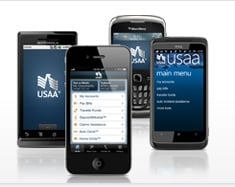
USAA Android App
USAA Deposit@Mobile on Android
USAA already offers this feature for home computers under the name Deposit@Home. The premise is the same. With the home version, you scan the front and back your check (after you endorse it with your signature and account number). Then you send the scanned photo and amount of the check and the USAA software verifies the information on the check and deposits it into your account. The process is quick and much faster than mailing the check to USAA, since the funds are usually available the same day. But believe it or not, USAA Deposit@Mobile is even faster and easier than Deposit@Home since it basically removes a step from the process. Instead of having to scan the check, then save and upload the photo to your USAA account, you simply take a picture of the front of your check, then endorse the back of the check, take another picture, then click submit. USAA then informs you whether or not the picture quality was good enough and whether or not it was accepted. The first time I tried I didn’t have the check on a dark background and I had to take another picture (this was clearly stated in the instructions. I just used a medium color background). I didn’t have any troubles after I switched to a dark background.What to Do With the Check After You Deposit via a Mobile App
Once your deposit is accepted you will receive a confirmation number and your funds will be available to you. Users are also instructed to write VOID across the front of the check, using large lettering, or to destroy the check. I usually write the confirmation number in small letters on the bottom of the front of the check, then wait a few weeks to verify there were no issues with the deposit. Every few weeks, I will destroy the checks to ensure there aren’t any old checks lying around. That could become a security issue, since checks contain the check writer’s bank account number, name, and address. Here is the main difference between USAA Deposit@Mobile and Deposit@Home: with Deposit@Home you will have a digital copy of your check. It’s probably a good idea to keep a copy of these for your records. With USAA Deposit@Mobile, your phone doesn’t keep a record of the photo. Since the photo isn’t stored, you need to either take another photo, scan it into your computer, or keep a physical copy if you want to maintain a copy for your records.Compare Current Savings Account Rates
USAA Deposit @ Mobile Eligibility:
A couple of notes about USAA Deposit@Mobile and Deposit@Home: Not all USAA members are eligible for Deposit@Home and Deposit@Mobile. You must have a USAA checking or savings account and:- Have an active USAA property and casualty insurance policy and be qualified for a USAA loan or credit card (not a USAA Secured Card), OR
- Be eligible for USAA property and casualty insurance and have an active USAA loan or credit card (not a USAA Secured Card).
Daily Deposit Limits
Contact USAA to verify your eligibility, as well as your daily deposit limit. Most daily deposit limits start small. But they may increase over time, based on the number and type of accounts you have with USAA, your credit history and history with USAA, and other factors. I have heard of some people being able to deposit up to $100,000 per day. However, there may be a hold placed on a portion of the funds for larger deposits. In addition, I do not believe a $100,000 daily deposit limit is the standard. For larger deposits, you would most likely need to do an ACH or wire transfer.Supporting Hardware
In addition to meeting eligibility requirements, you will need to have an iPhone or iPad, or an Android capable phone or tablet with the right hardware. You can download the USAA apps here: USAA also offers apps for the iPad, Windows 10, Blackberry, and other platforms. Overall, I’m more than pleased with the USAA Android App, and I’m seriously loving the Deposit@Mobile feature. It simplifies my banking life and makes my money available to me more quickly. Win-win-win.